# Login via Web3 Wallet

## Connecting Your Wallet

To start trading on Aster, you need to connect a compatible Web3 wallet.

### Supported Wallets

Aster supports Rabby, MetaMask, Binance Wallet, and any wallet compatible with WalletConnect.

**Note:** If connecting to BNB Chain, your wallet must hold at least 0.001 BNB.

### Steps

1. Go to [asterdex.com](https://www.asterdex.com/en) and click **\[Launch App]**.

<figure><img src="https://4068247257-files.gitbook.io/~/files/v0/b/gitbook-x-prod.appspot.com/o/spaces%2FWhSHuKmgnGREbVb12PK2%2Fuploads%2FvE7E7j5N5y2HwIGoMibb%2F%E6%88%AA%E5%B1%8F2025-03-31%2015.29.54.png?alt=media&#x26;token=d55cb64e-e9e9-47f8-ac35-1deeb10761b2" alt=""><figcaption></figcaption></figure>

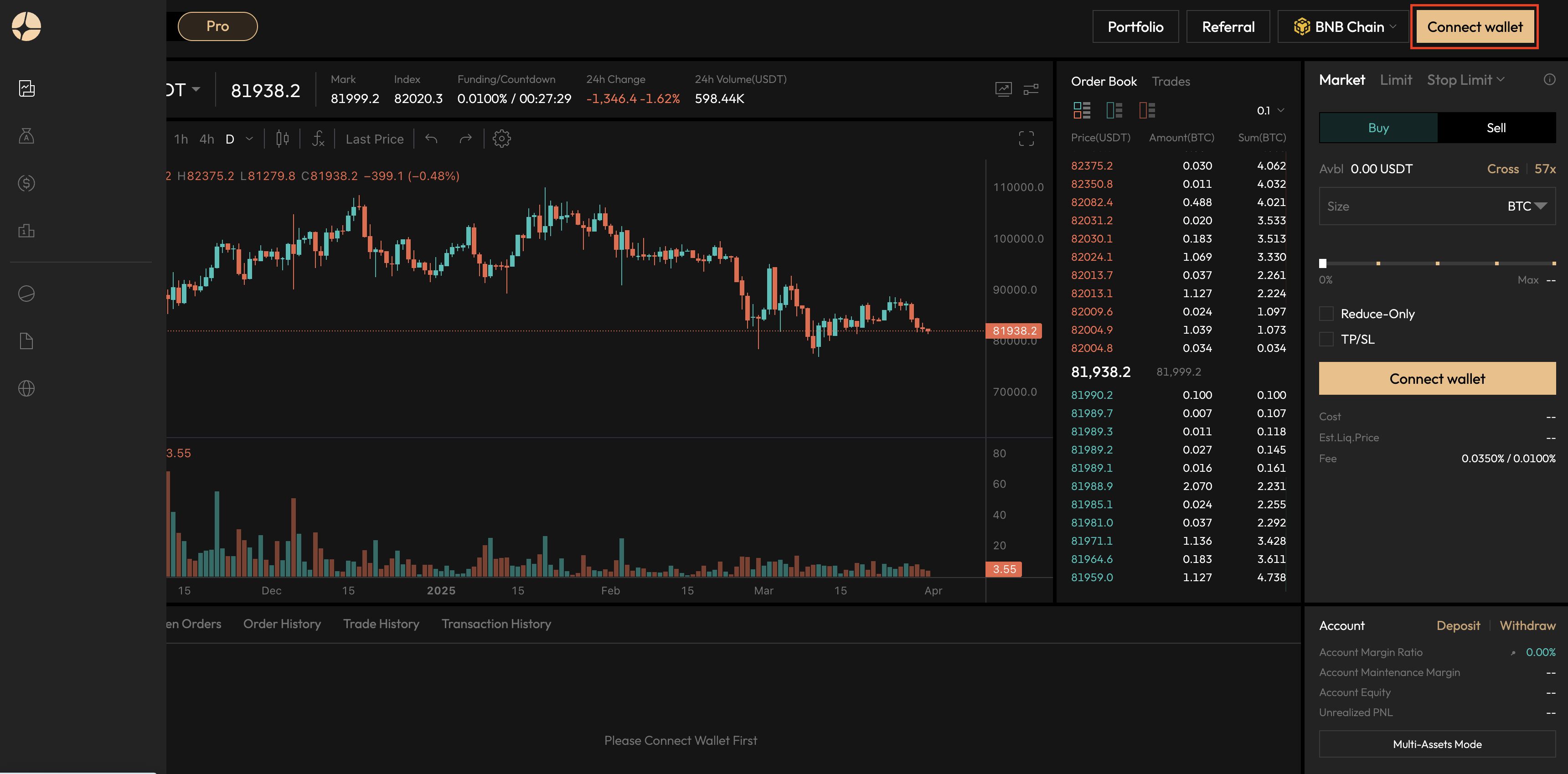
2. Select your chain from the dropdown menu, then click **\[Connect Wallet]**.

<figure><img src="https://4068247257-files.gitbook.io/~/files/v0/b/gitbook-x-prod.appspot.com/o/spaces%2FWhSHuKmgnGREbVb12PK2%2Fuploads%2FHvrHynSXyfROjO7d8lOp%2F%E6%88%AA%E5%B1%8F2025-03-31%2015.32.30.png?alt=media&#x26;token=9678c7de-d88f-4ca5-8f89-22b282461059" alt=""><figcaption></figcaption></figure>

3. Choose your wallet.

<figure><img src="https://4068247257-files.gitbook.io/~/files/v0/b/gitbook-x-prod.appspot.com/o/spaces%2FWhSHuKmgnGREbVb12PK2%2Fuploads%2FHRklRpUJ0cxMNn5YvCdz%2F%E6%88%AA%E5%B1%8F2025-03-31%2015.34.06.png?alt=media&#x26;token=35a441f0-acdc-42f4-811b-0af8b911d62a" alt=""><figcaption></figcaption></figure>

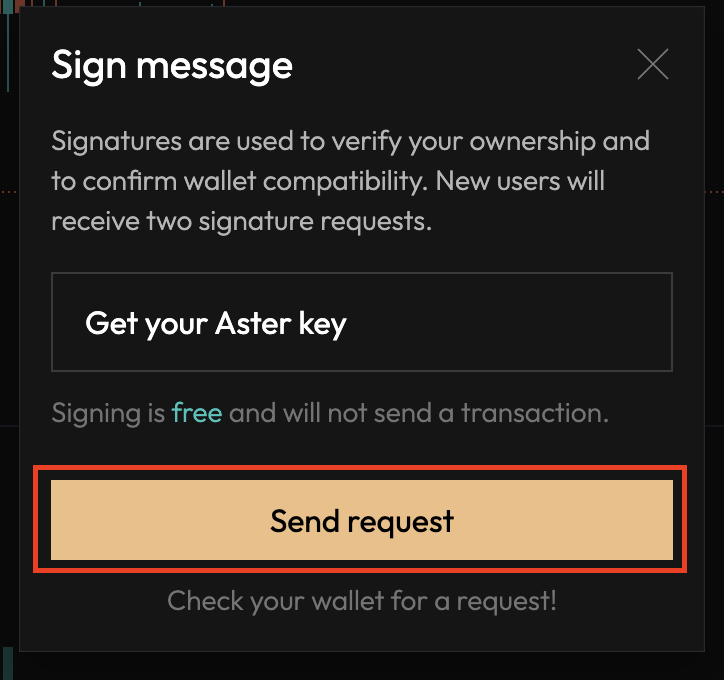
4. A signature request will appear in your wallet. Approve it to complete the connection.

<figure><img src="https://4068247257-files.gitbook.io/~/files/v0/b/gitbook-x-prod.appspot.com/o/spaces%2FWhSHuKmgnGREbVb12PK2%2Fuploads%2F0Jqp95GDz5GWqWnj4k0e%2F%E6%88%AA%E5%B1%8F2025-03-31%2015.35.11.png?alt=media&#x26;token=0baa5877-d13d-4d5c-9785-e26be96bd200" alt=""><figcaption></figcaption></figure>